Features
Everything the platform does, module by module
Twelve connected modules. Pick one, or scroll through the whole page.
The screenshots are real, taken from the dashboard (in Spanish) running a demo property with sample data.
Home
Start the day knowing what needs doing
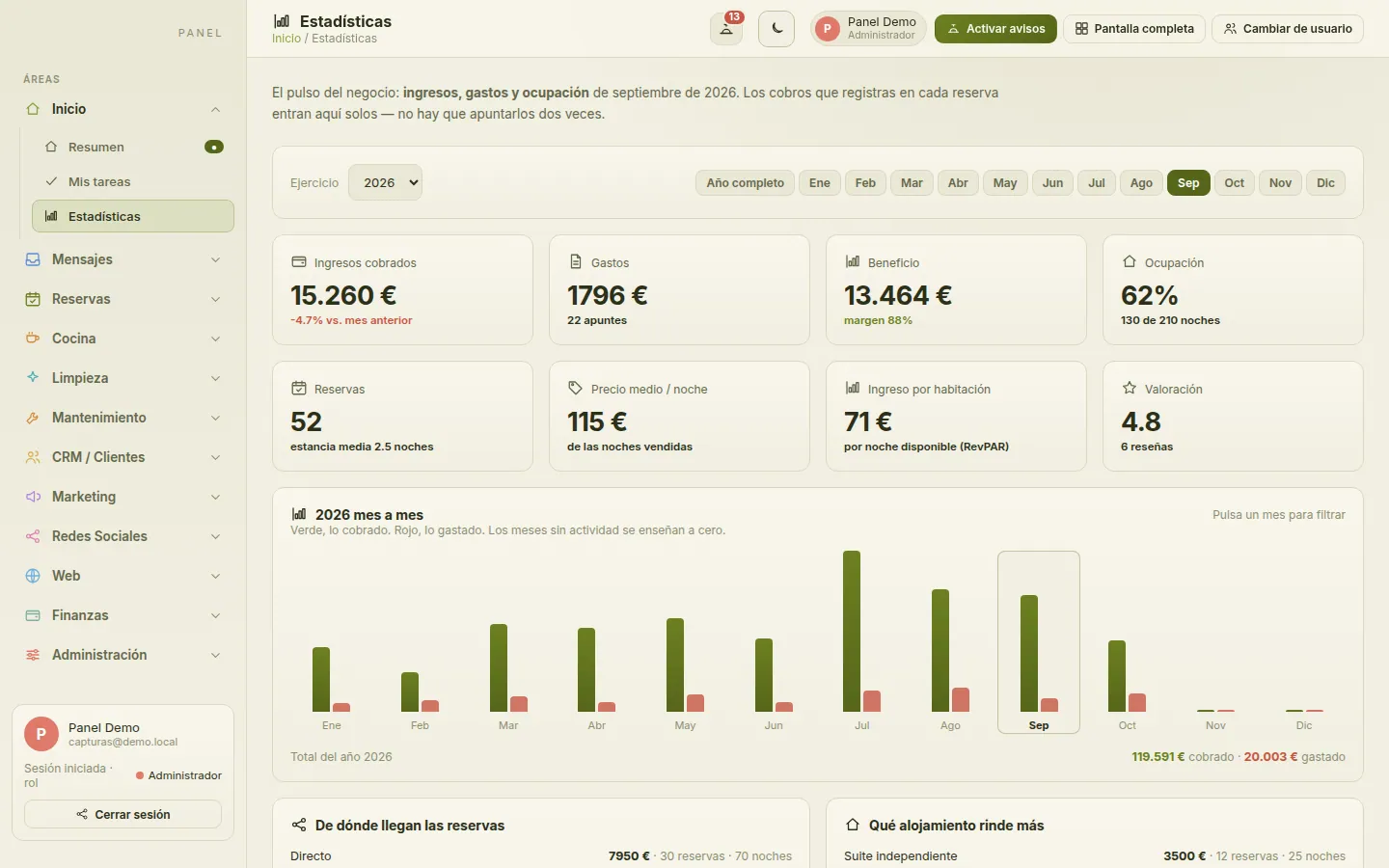
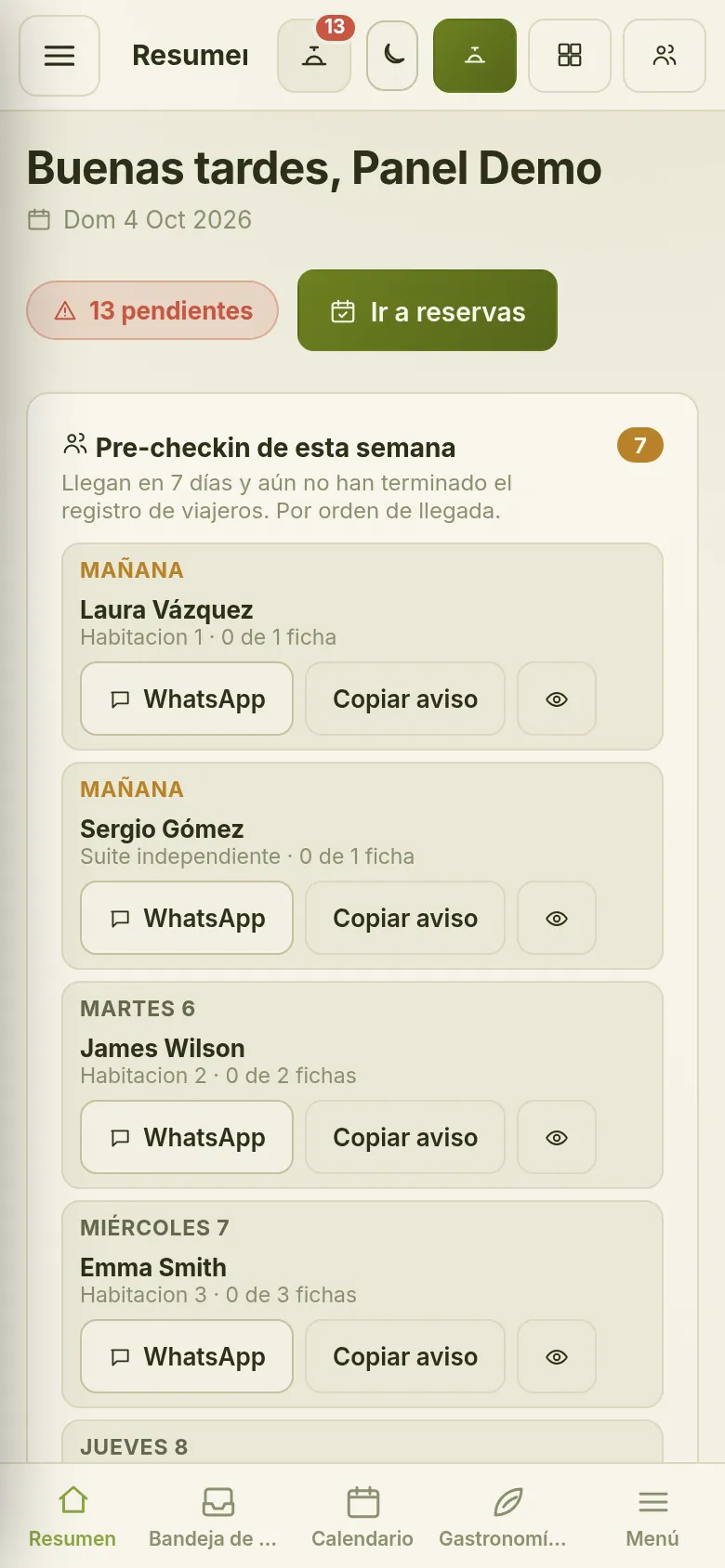
Everyone logs in to their own overview: this month’s revenue, today’s occupancy, this week’s arrivals and what’s still pending. Statistics shows the year month by month, where bookings come from and which unit performs best.
- Overview with revenue, occupancy, arrivals and average rating
- My tasks: what each person has on today
- Yearly statistics by month, by channel and by unit
- Every module one click away from the dashboard home
Messages
Every conversation in one place
Messages from Booking.com, Airbnb and the other portals connected through Beds24, alongside your own email, grouped by conversation with the booking right next to them. No more jumping between apps to find out what each guest asked.
- A unified inbox that includes your email
- Portal chats grouped by guest
- Each conversation shown with its channel and booking
- Messages from Booking.com, Airbnb and other portals via Beds24
Bookings
The heart of your operation
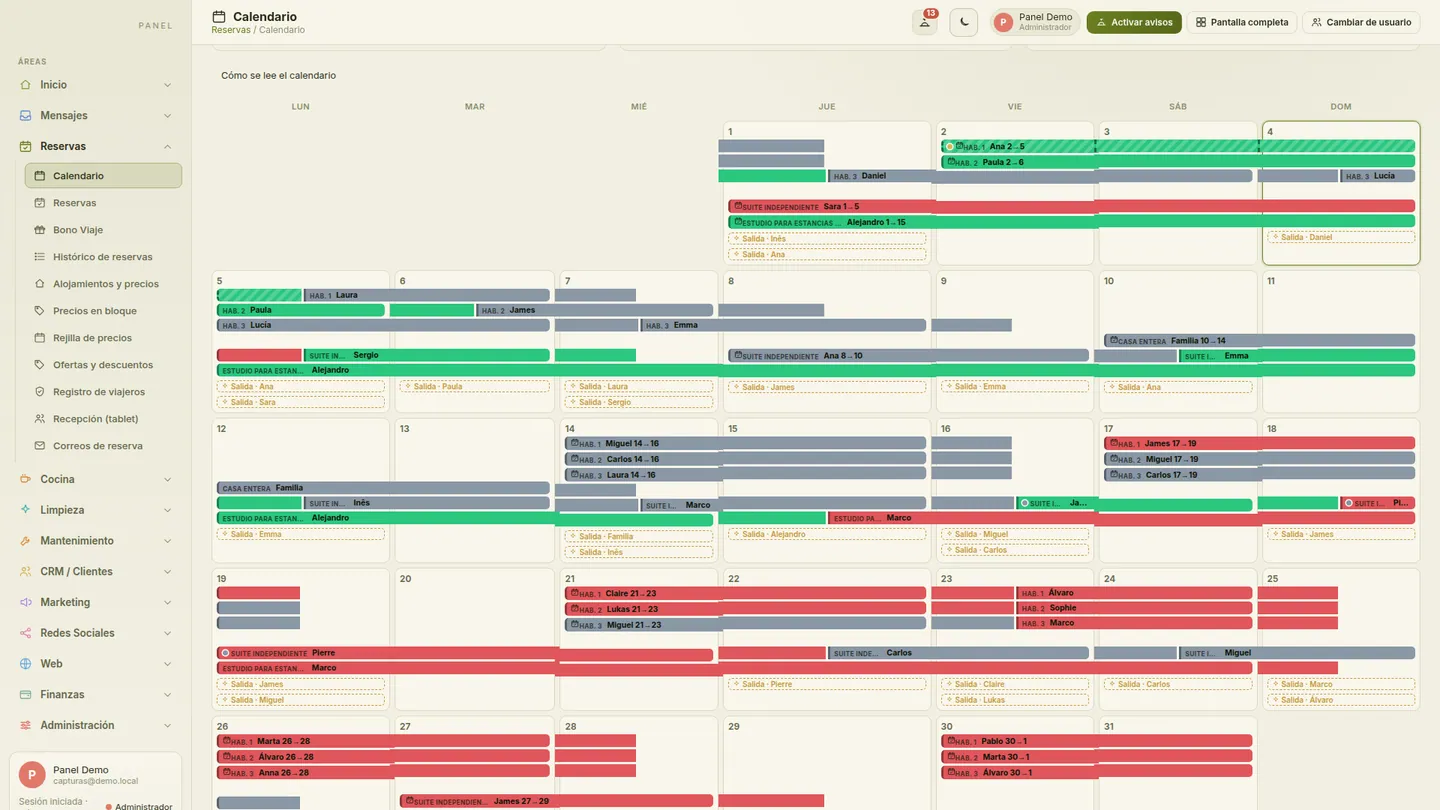
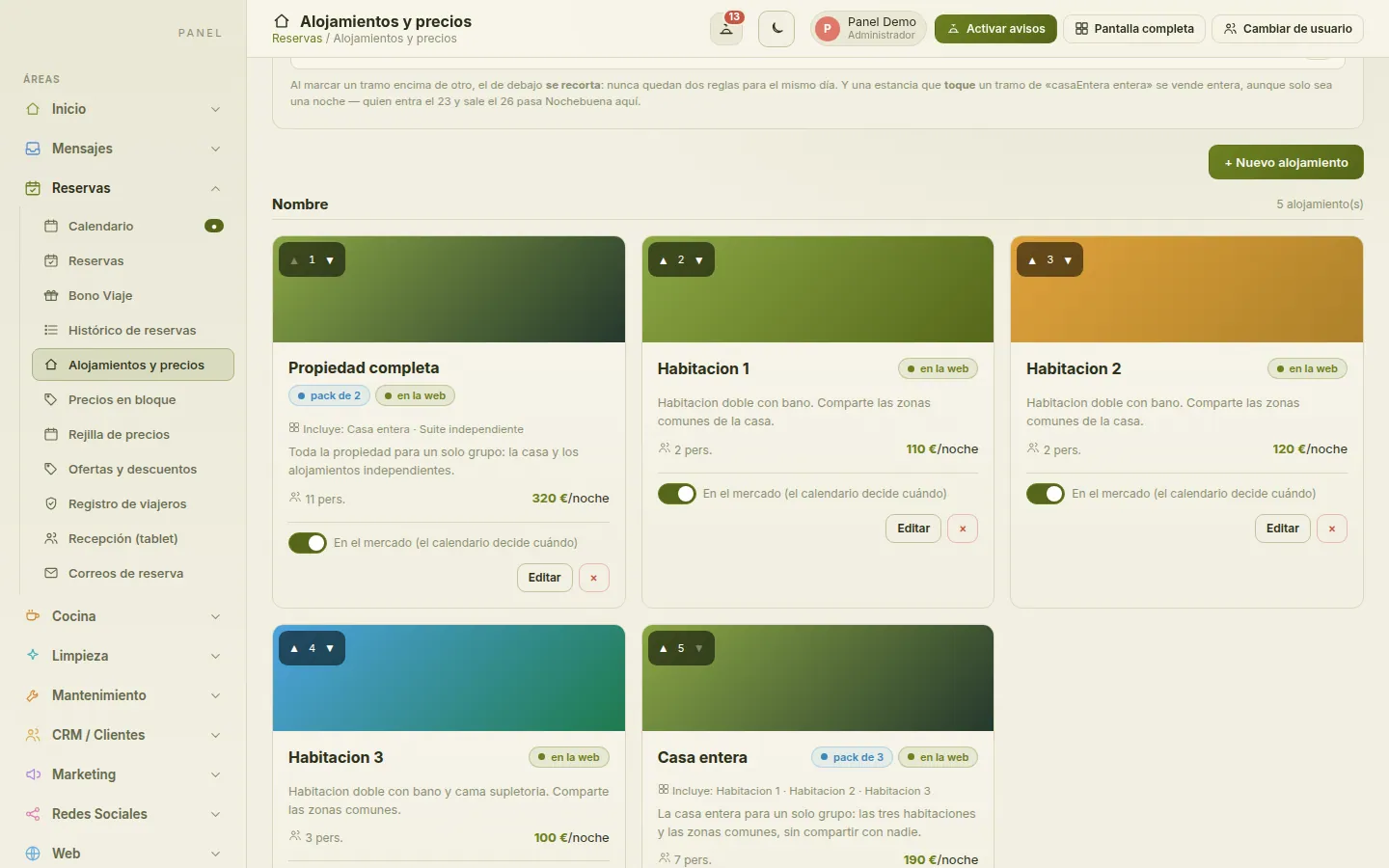
One calendar with every booking, wherever it comes from, and each unit with its own seasons and rates. Change prices in bulk or day by day on the rate grid, create offers and discount codes, check guests in on a tablet at the front desk and let each booking’s emails go out on their own.
- Arrivals and departures calendar showing each booking’s channel
- Seasonal rates, minimum stays and extra beds
- Bulk pricing by date range and a day-by-day rate grid
- Offers, flash deals and discount codes
- Whole house or by the room, with no overbooking
- Guest registration and a tablet front desk
- Automated emails at every step of the booking
Units and rates 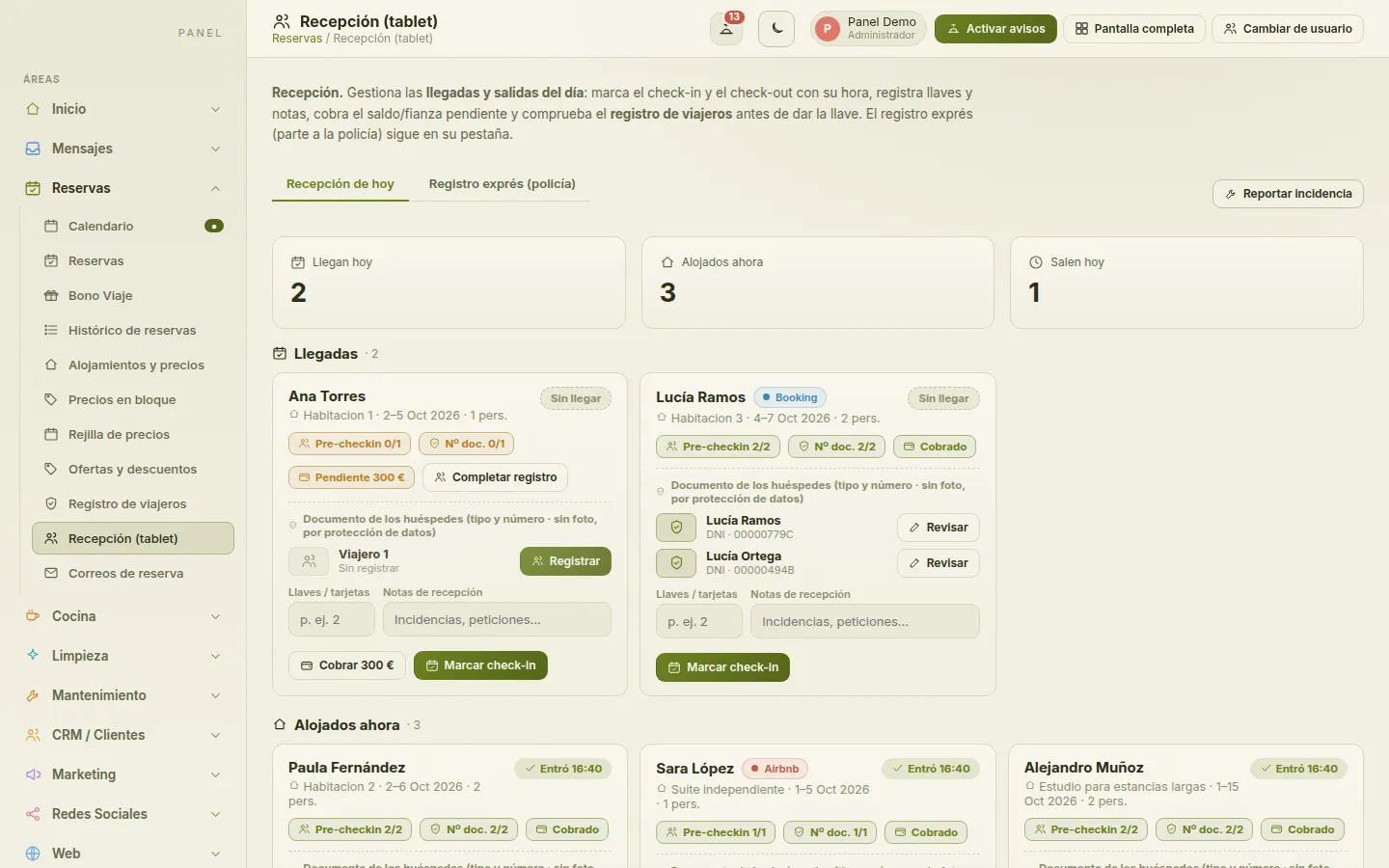
Tablet front desk 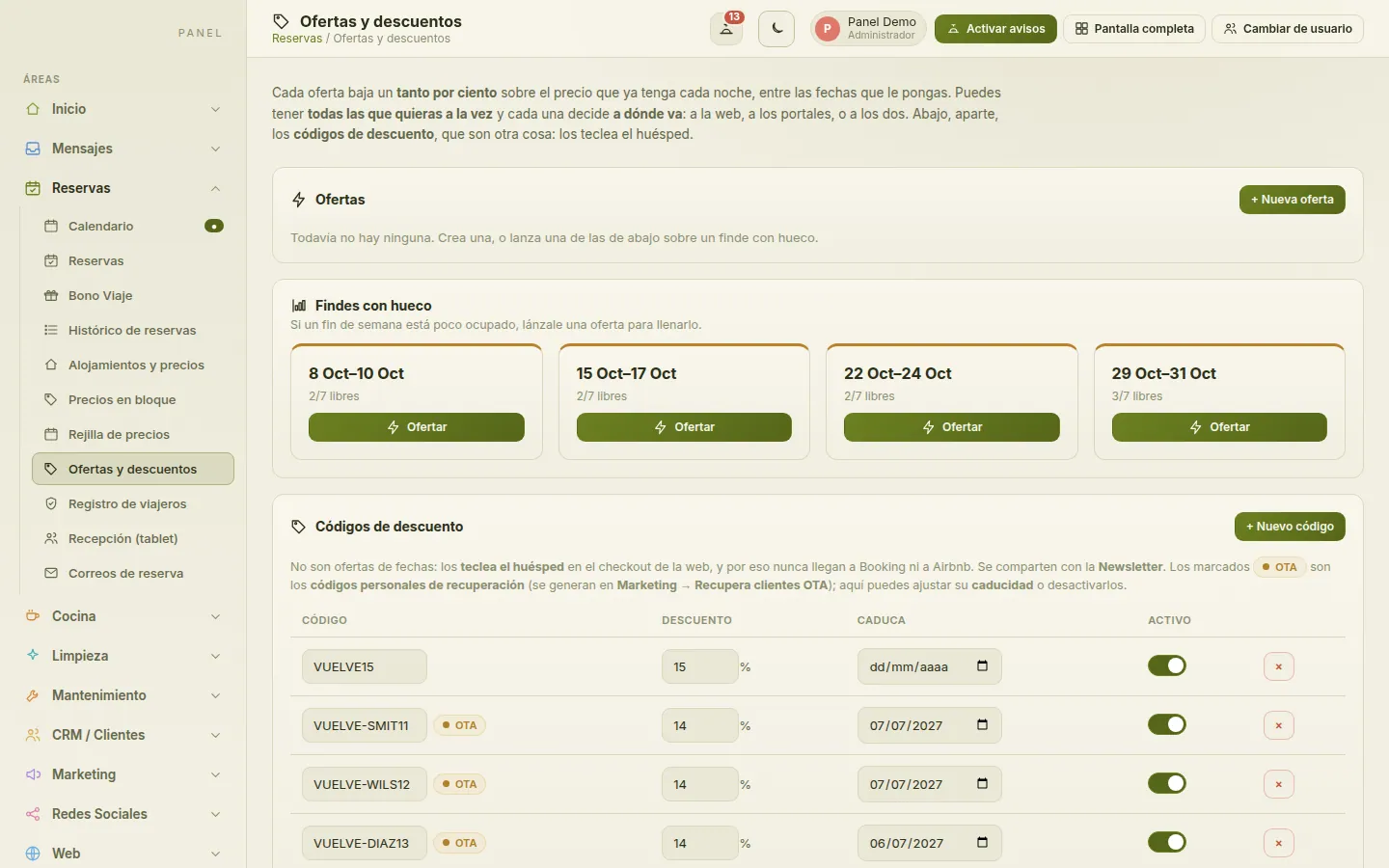
Offers and discounts 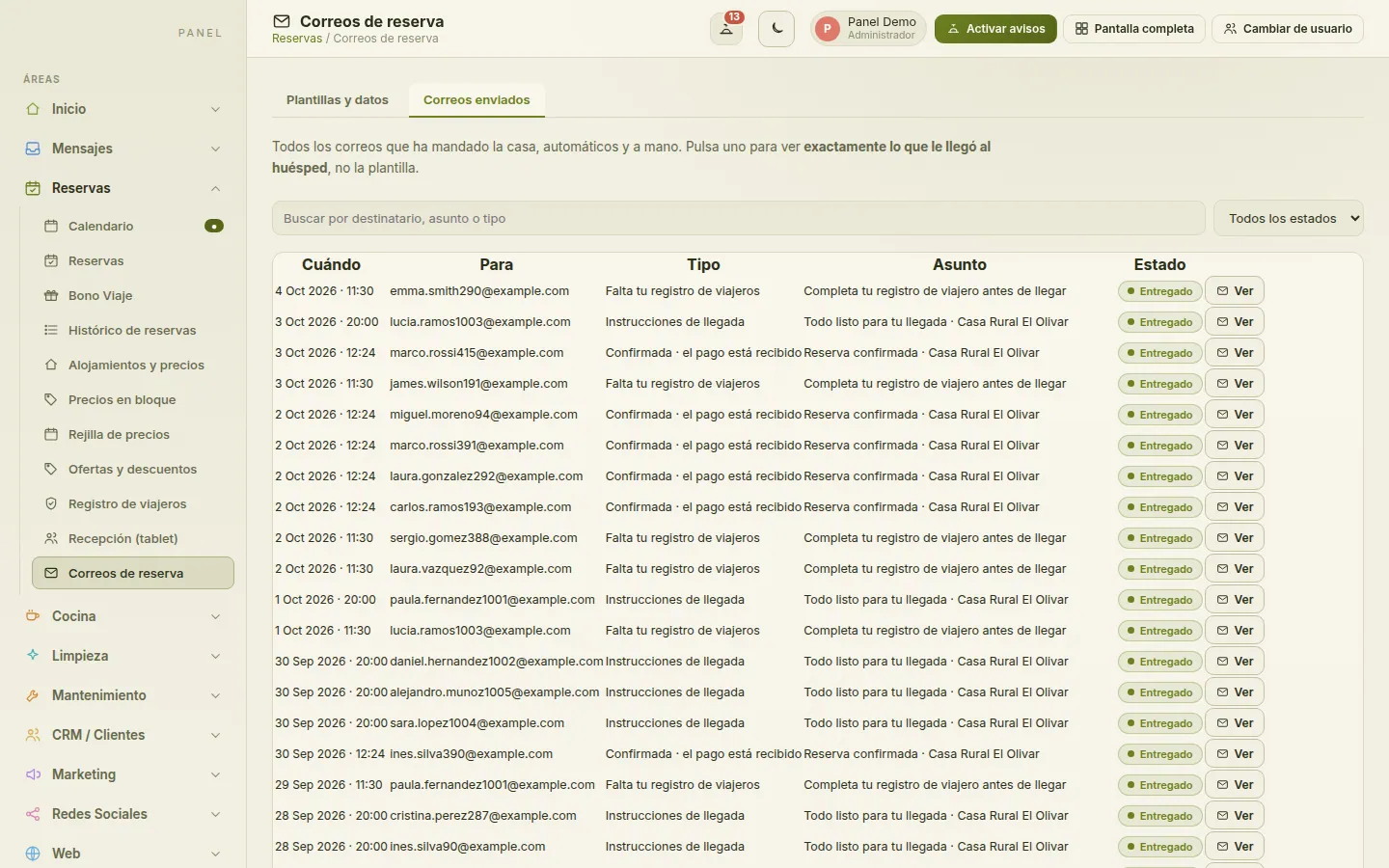
Booking emails
Kitchen
The kitchen knows what to cook, and for whom
Set up your menus and let guests choose their dishes from a link before they arrive. The kitchen sees each day’s service with the number of diners and their allergies, and the shopping list is built from what has been ordered.
- Menus by service
- Guests choose their dishes from a link
- Daily service with diners and allergies
- Shopping list generated from the orders
- Weekly plan to organise shopping and prep
Housekeeping
Rooms ready, without phone calls or whiteboards
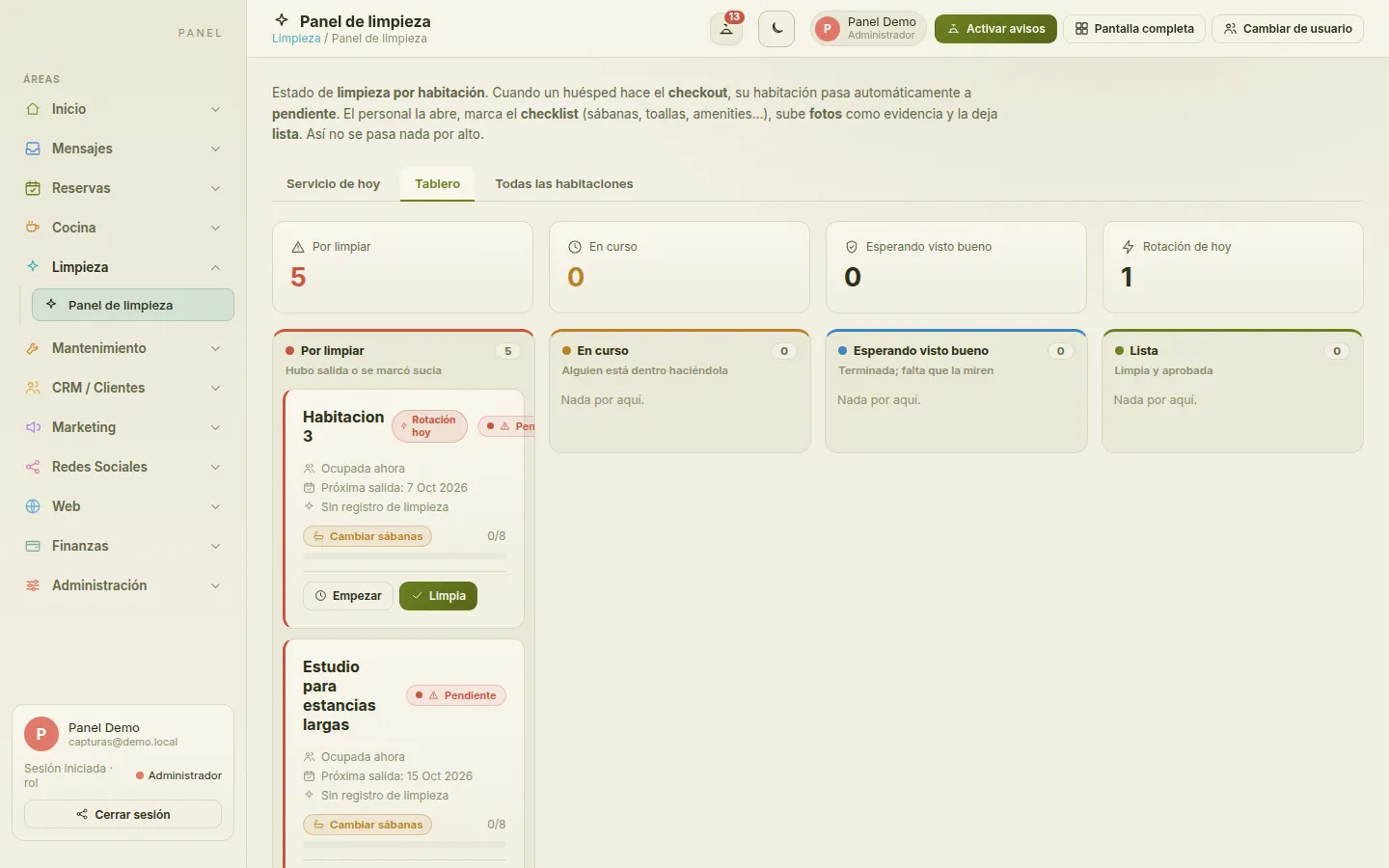
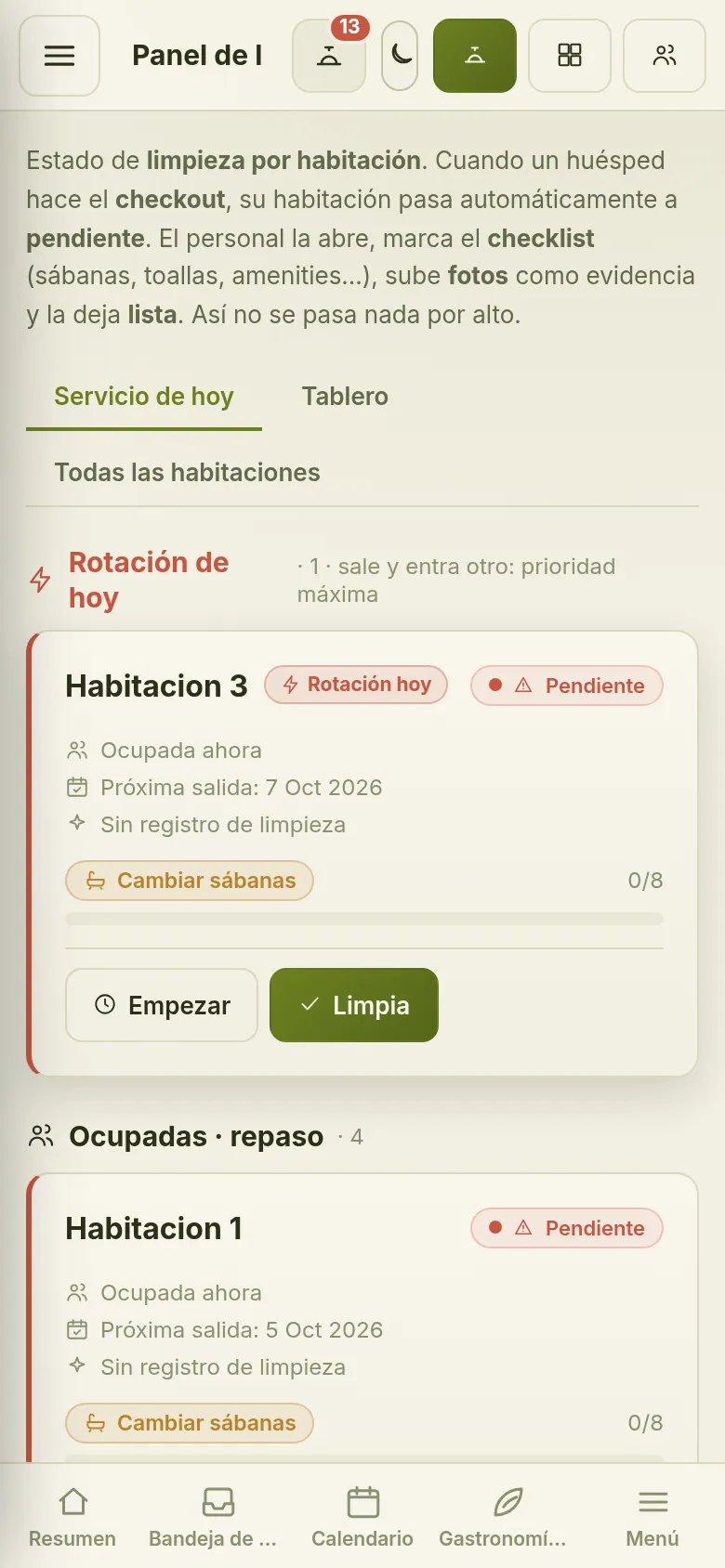
When a guest checks out, their room switches to pending on its own. The team opens it on their phone, ticks off the checklist (linen, towels, amenities…), uploads photos as proof and marks it ready. Everyone can see the status of every room.
- Today’s service: departures and occupied rooms
- Status board: to clean, in progress, awaiting sign-off, ready
- Linen change reminders
- Checklists and photos as proof
- Built to be used from a phone
Maintenance
Every fault, from report to repair
Housekeeping or reception reports the problem with its location, a description and a photo; maintenance fixes it and uploads proof of the repair. Each issue moves across the board and is only closed once signed off. Costs are logged against each issue and added up in one place, next to your stock.
- Issues with photo, location and priority
- Board: open, assigned, in progress and resolved
- Closed only after sign-off, with a history that is never deleted
- Costs per issue and per unit
- Stock and suppliers
CRM / Guests
Know who books with you, and who comes back
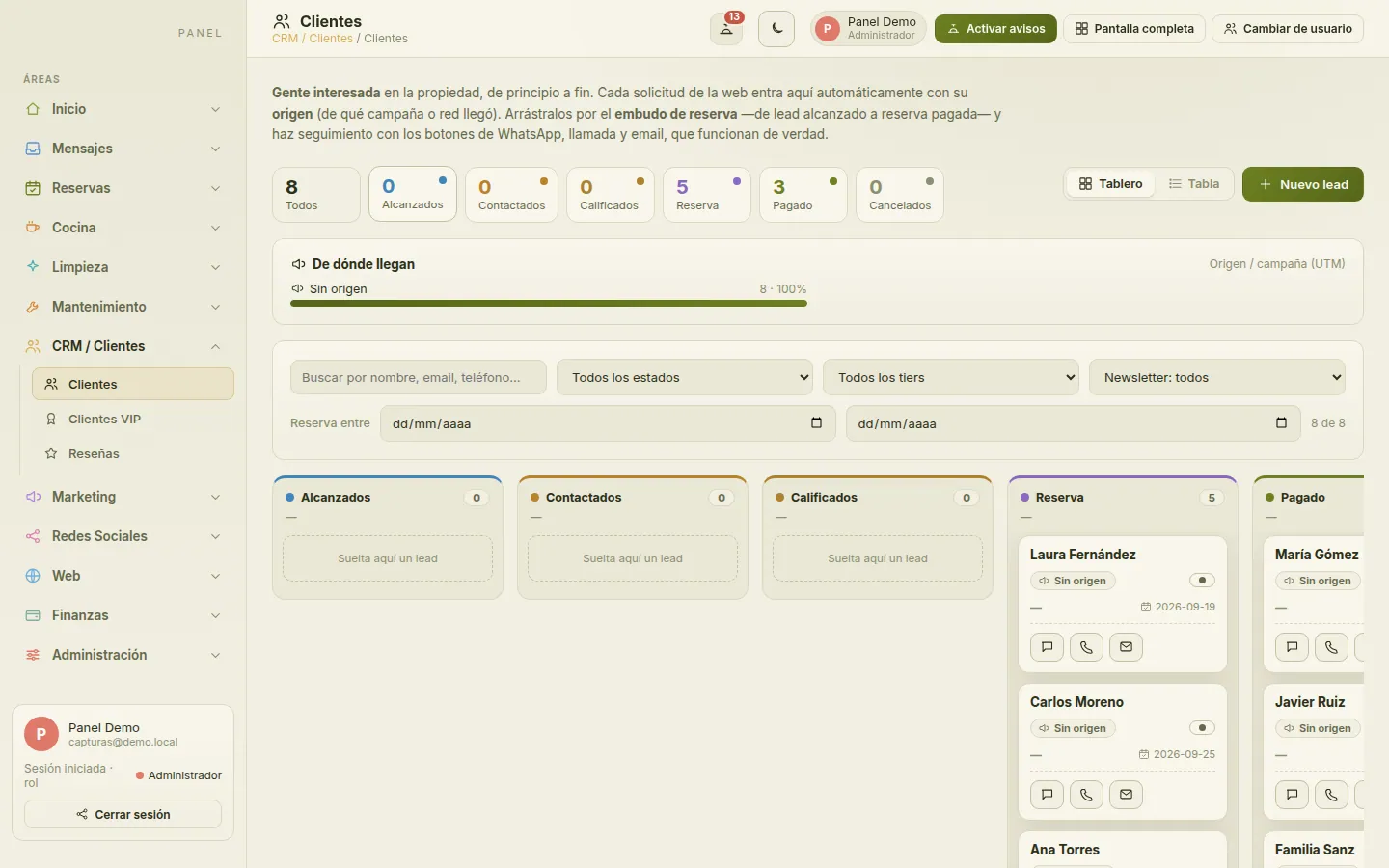
Every enquiry and every booking creates a guest record showing where it came from. Move them through a pipeline from enquiry to paid booking, recognise your VIPs and repeat guests, and import your reviews to publish them on your website.
- Guest records with their source
- Booking pipeline on a board
- Get in touch by WhatsApp, phone or email
- VIP guests by loyalty tier
- Reviews: import them and publish them on your website
Marketing
Set prices and campaigns with data
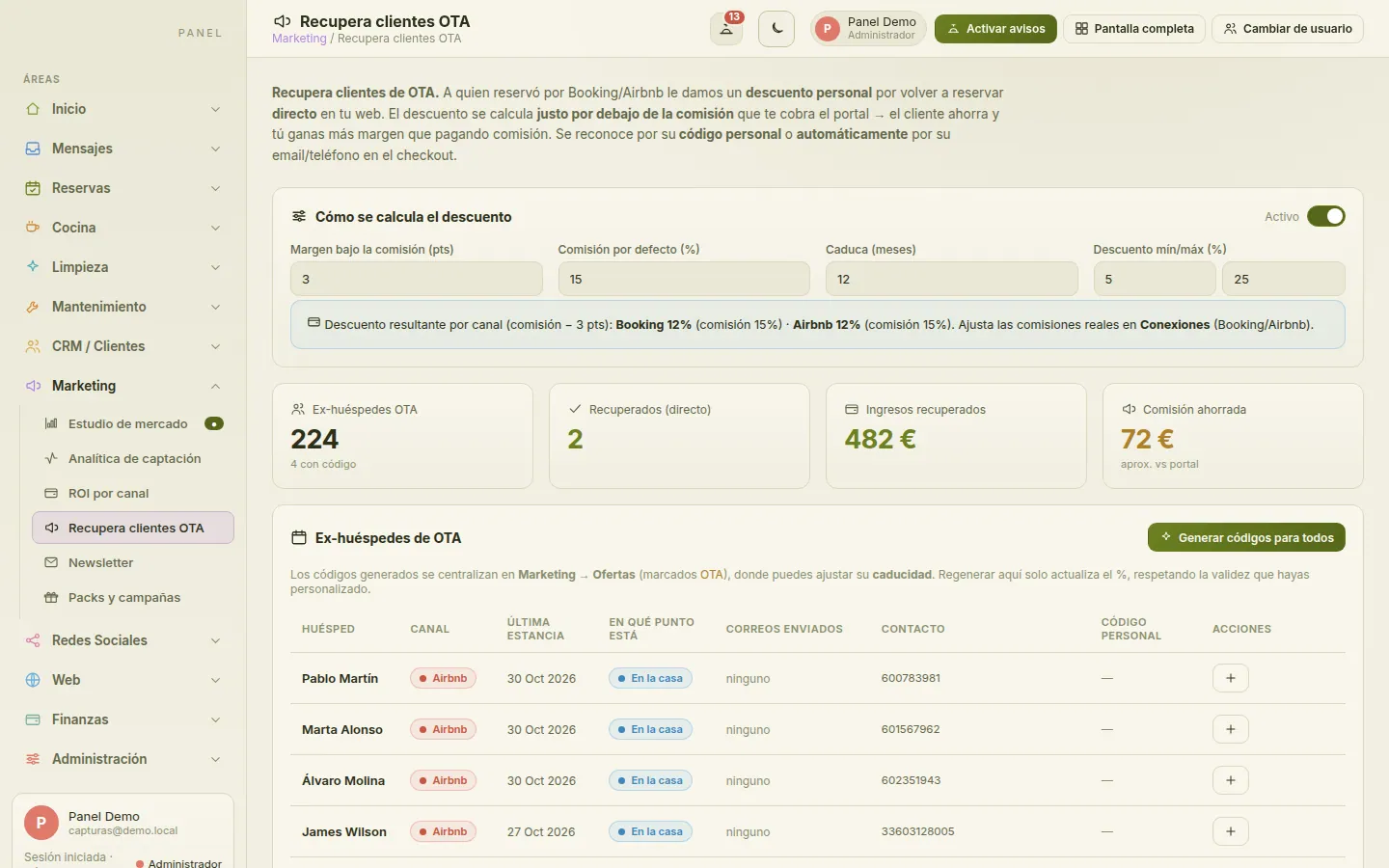
See what the competition charges before you touch your own rates, measure which channel each booking comes from and what it really earns you, and give guests who found you on a portal a reason to book direct next time. Newsletters, packages and campaigns in the same place.
- Market study with competitors’ prices
- Acquisition analytics by channel and campaign
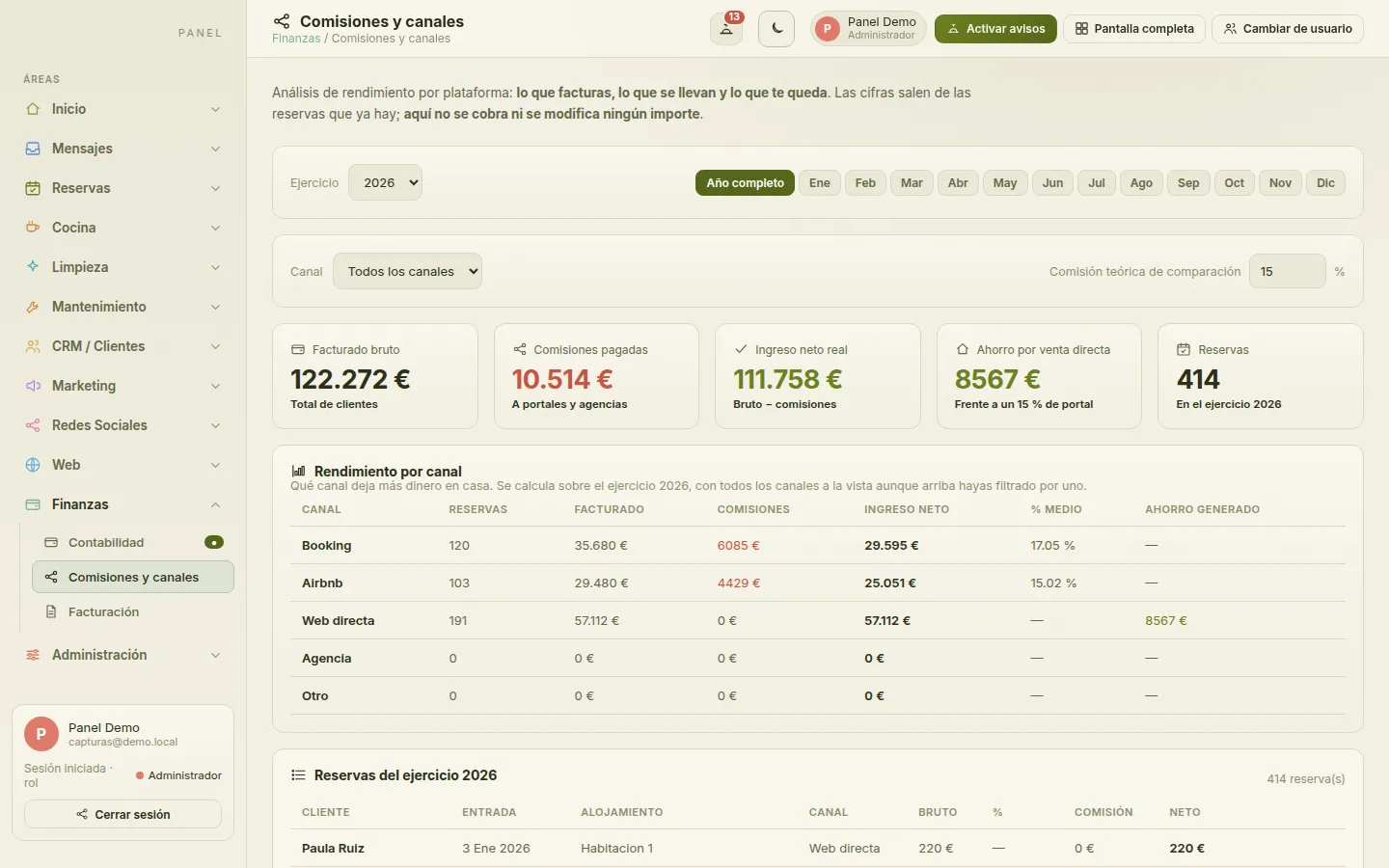
- ROI by channel: revenue, commission and net
- Win back guests who came through a portal
- Newsletters, packages and campaigns
Website
Your website takes bookings with no commission
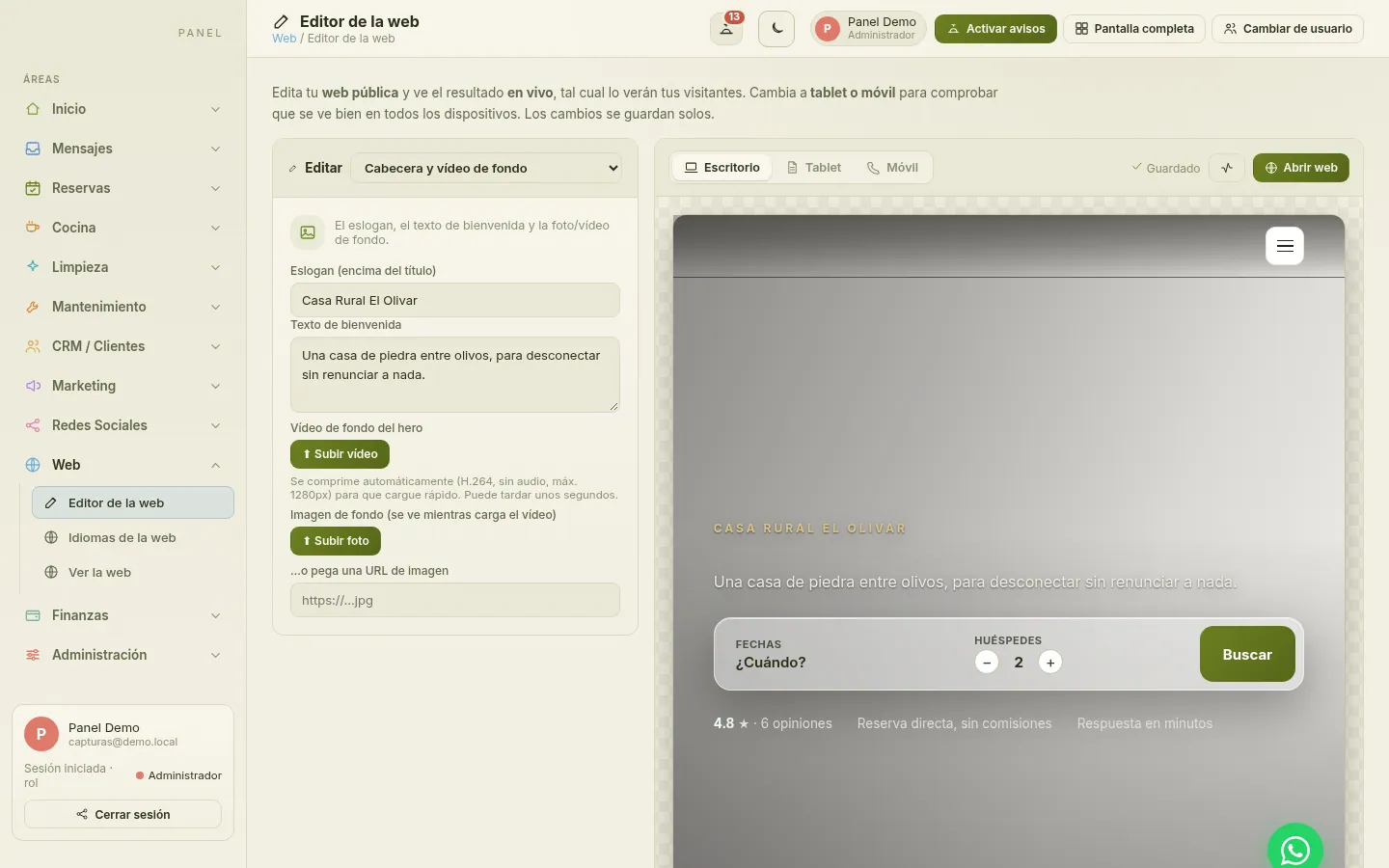
Your property’s own website with its own booking engine: guests check availability and price and book with you, with no portal in between. You edit it with a visual editor that previews desktop, tablet and mobile, in up to seven languages and ready for search engines.
- Direct booking engine, no commission per booking
- Visual editor with desktop, tablet and mobile preview
- Up to seven languages
- Search-engine ready (SEO)
- Your reviews published on your own website
Finance
Clear accounts, booking by booking
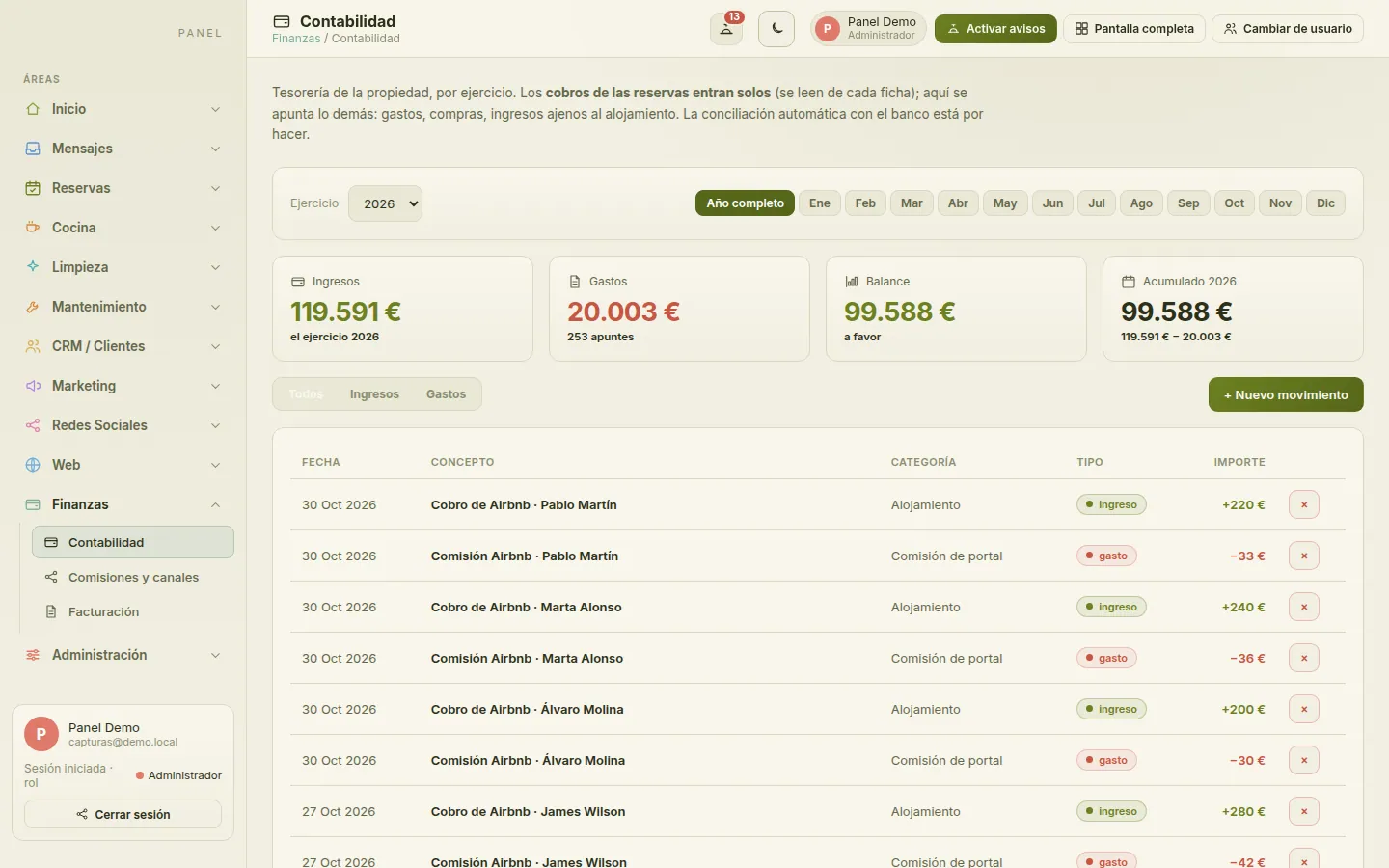
Booking payments flow into your accounts automatically, and any other income and expenses are logged by hand. See what each channel leaves you after commission, and issue invoices with sequential numbering by series, assigned by the server: no gaps, no duplicates.
- Accounts by financial year, including booking payments
- Commission and performance by channel
- Invoices straight from the booking record
- Sequential numbering by series
- Log invoices issued elsewhere
Commission and channels
Administration
Everyone sees what they need to
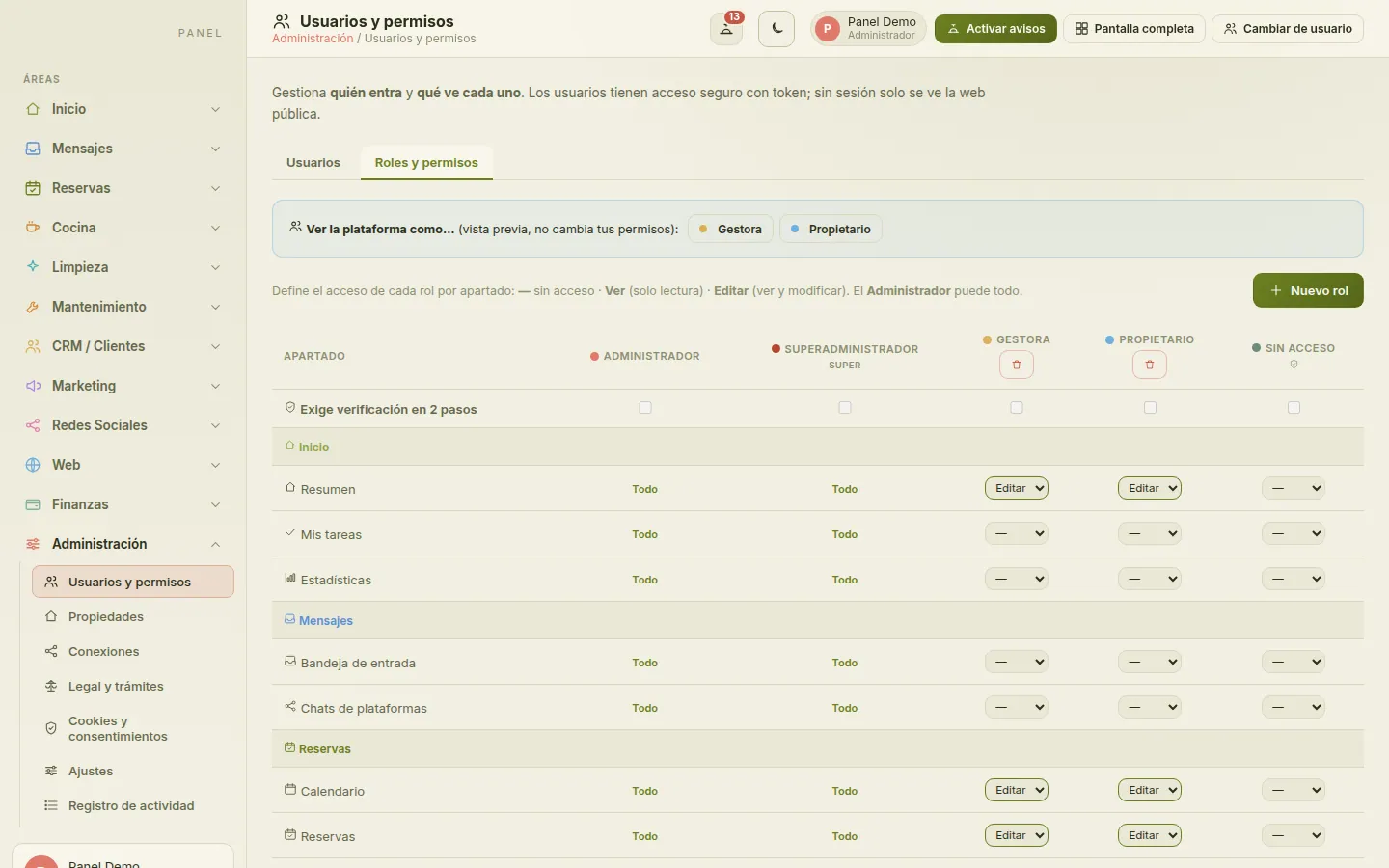
Add your team with roles and per-section permissions (no access, view or edit), require two-factor authentication by role and check the activity log. Add properties to your account, manage connections and handle your website’s cookies and consents from the same dashboard.
- Roles with per-section permissions: no access, view or edit
- Two-factor authentication (2FA) required by role
- Activity log
- Multiple properties in one account
- Website cookies and consents (GDPR)
- Channel and calendar connections
All connected
What ties every module together
Features that don’t live on a single screen: they run through all of them.
-
Channel manager via Beds24
Booking.com, Airbnb, Expedia and more, connected through Beds24: your availability and rates go out to the portals and their bookings land in your calendar.
-
iCal and Google Calendar
Import and export iCal calendars with the portals that support them, and sync your bookings with Google Calendar.
-
Pricing engine
Seasons, minimum stays, extra beds, packages, flash deals and discount codes. The same calculation on your website and in the dashboard.
-
Whole house or by the room
Sell the whole house or its rooms separately. When a booking comes in, the other option is blocked automatically: no overbooking.
-
Online pre-check-in
Guests fill in their details from a link before they arrive; reception only has to check them.
-
Guest registration
Collects the details required by Spain’s Royal Decree 933/2021 and prepares the report in the SES.Hospedajes format, ready for you to upload.
-
Automated emails
Confirmation, payment details, payment received, pre-arrival and cancellation: each email goes out at the right moment, using your templates.
-
AI assistant
Helps you write descriptions, social posts and website copy without leaving the dashboard.
-
Multi-property
Several properties in one account, with each person accessing only their own.
-
Security
Two-factor authentication, per-section permissions and each client’s data isolated in the database with row-level security.
Shall we look at your property?
Tell us how your property works and we’ll show you the platform with examples from your day-to-day. No commitment.
Or email us at info@anfitrio.es
Social media
Your content, planned and measured
A content studio for each social network with ideas, copy and a weekly plan of what to post and when, plus a calendar to keep it organised. Manage collaborations with influencers and affiliates, each with their own code and tracking link.